Hyduri Vault
Everything private,in one place.
Passwords, bank cards, door codes, API keys and files, locked on your Mac before they go anywhere. Nobody at Hyduri can open them.
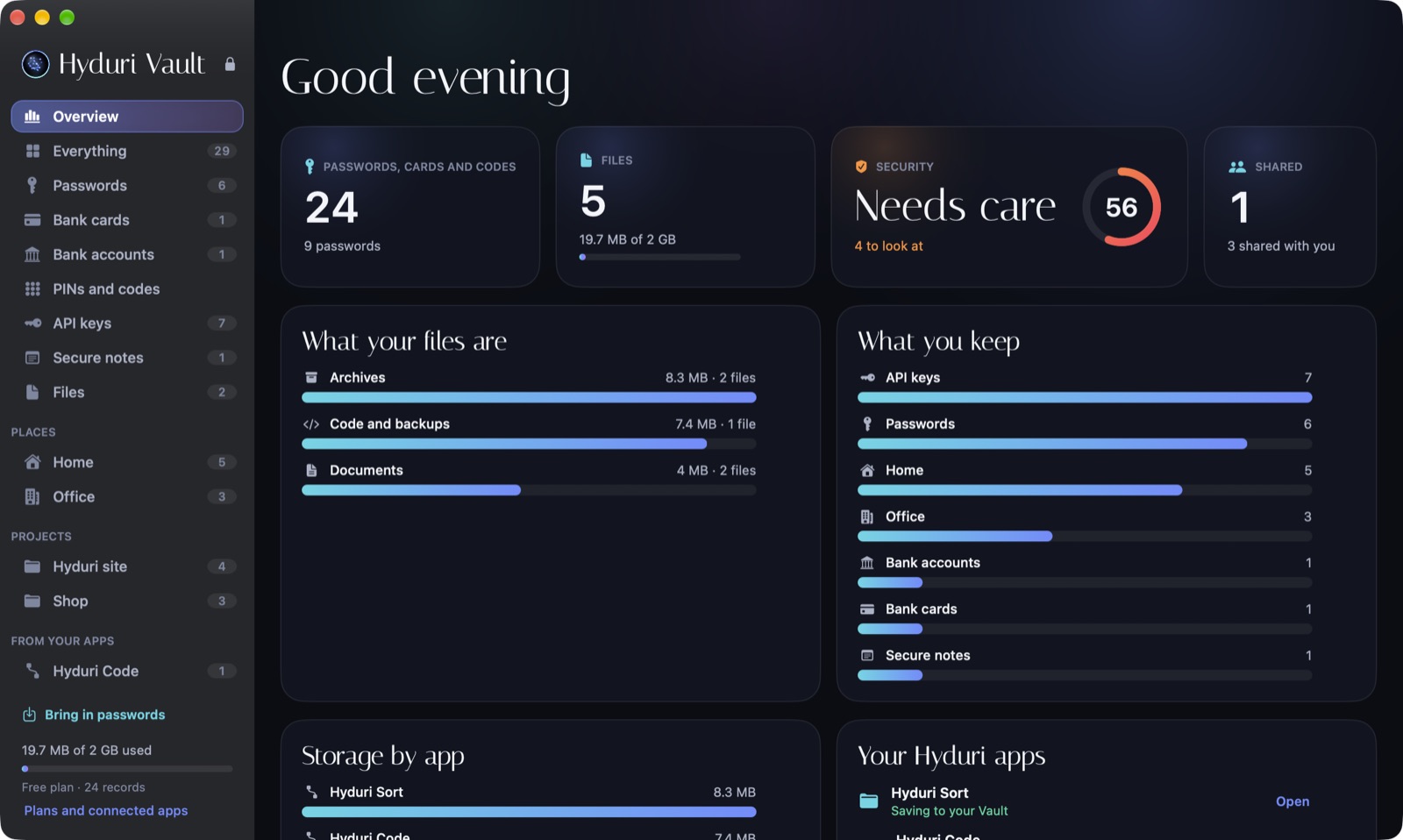
Passwords and sign-in
Bring in your passwords from Apple, Google, 1Password, Bitwarden and others once, then sign in to sites with one click.
Cards, PINs and codes
Bank cards, accounts, door and alarm codes, Wi-Fi and more, with ready-made Home and Office entries.
A security check
A score out of 100, with reused, weak and old passwords listed, and a one-click fix for each.
Share without email
Share Vault to Vault, locked to the other person, or send a one-time link with a PIN. Email never carries the secret.
API keys, sorted
Paste a page or a .env file and it finds the keys, names their service and groups them by project.
Storage for your apps
Sort's archives and Code's backups save to their own locked space, with a 30-day Trash and Undo.
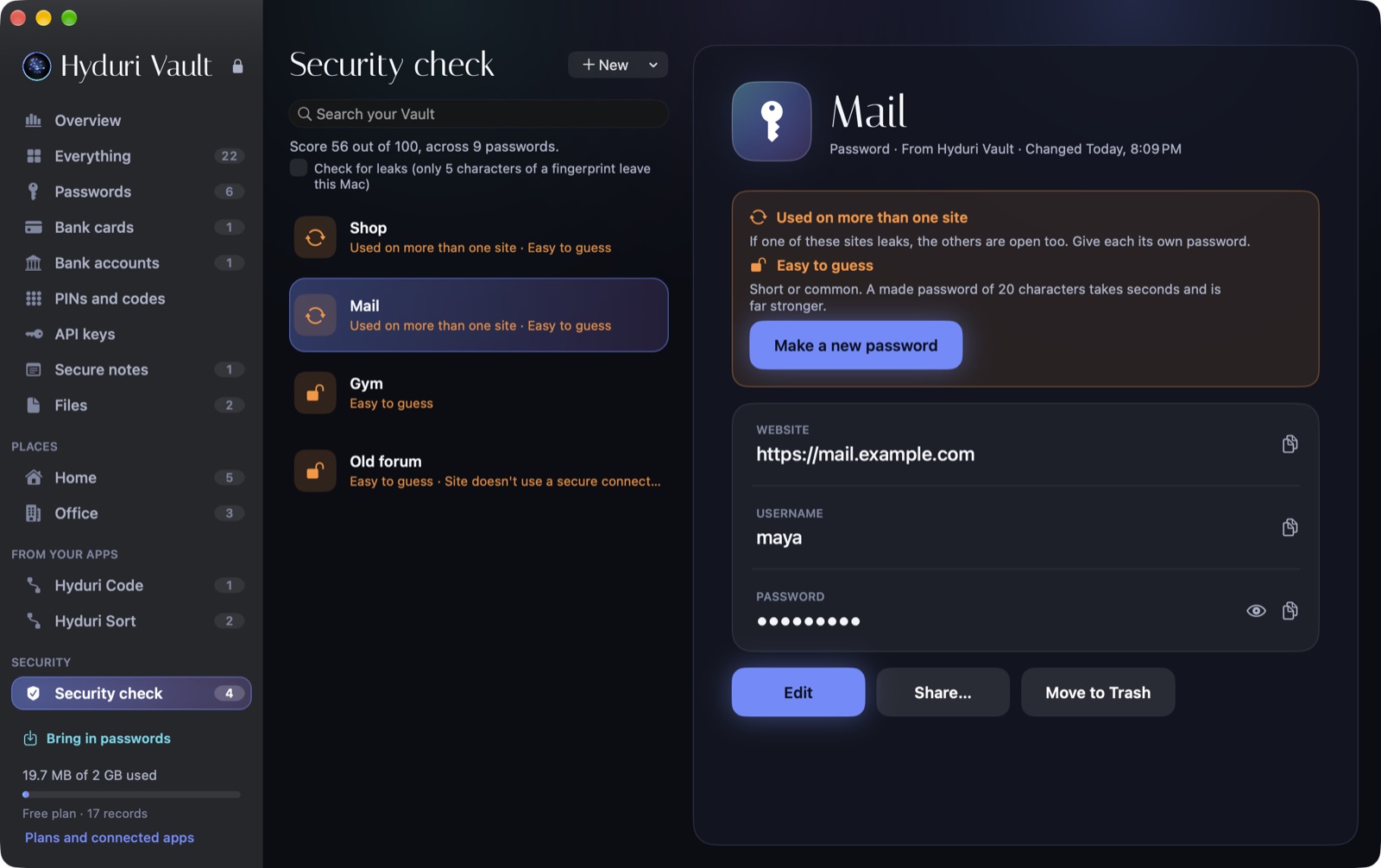
Security check
See what needs care
Reused, easy, duplicated and old passwords are listed with a fix for each. The leak check only ever sends 5 characters of a scrambled password.
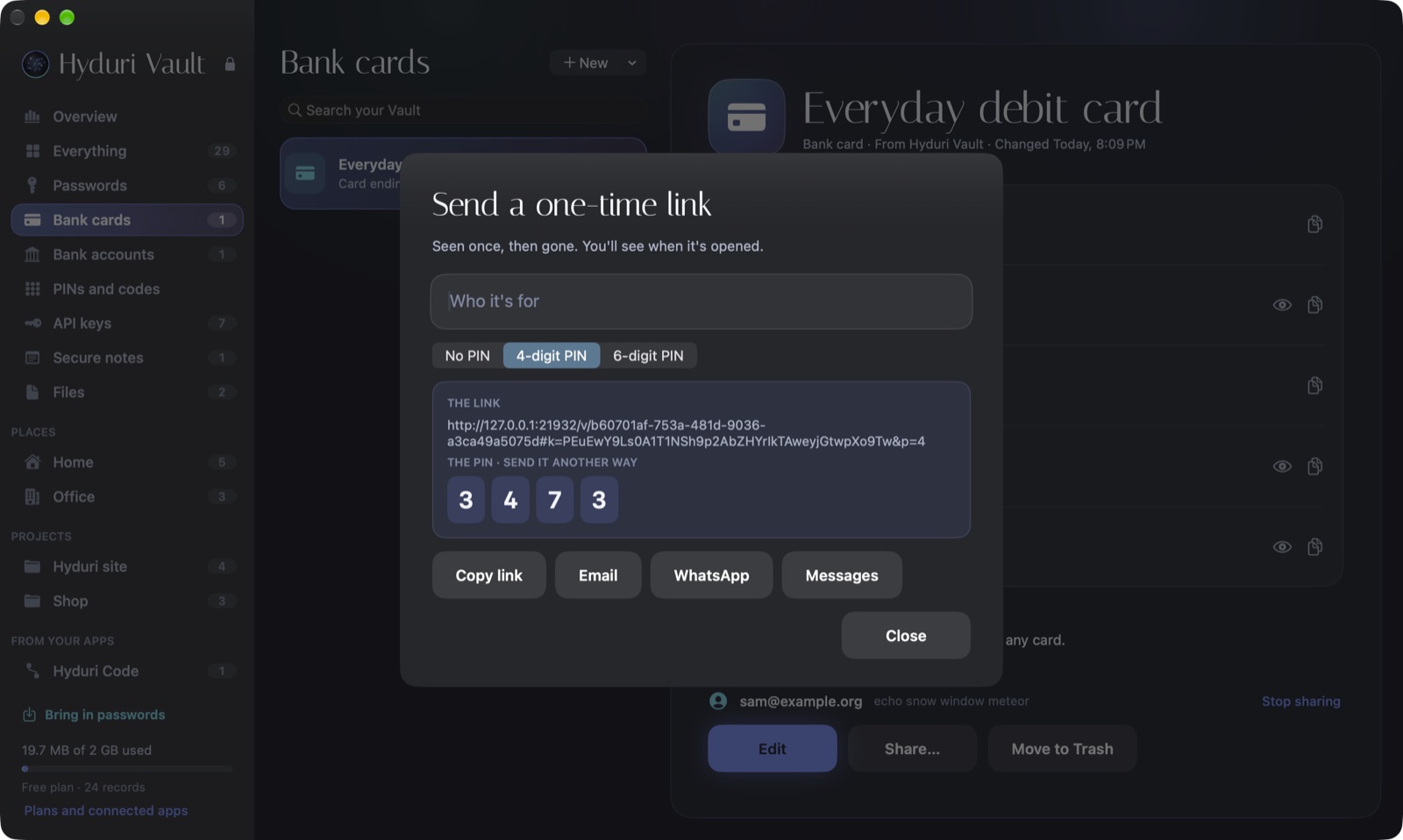
Share once
Send a secret safely
The other person sees it once. The key lives in the part of the link that browsers never send, so Hyduri only holds the locked copy.
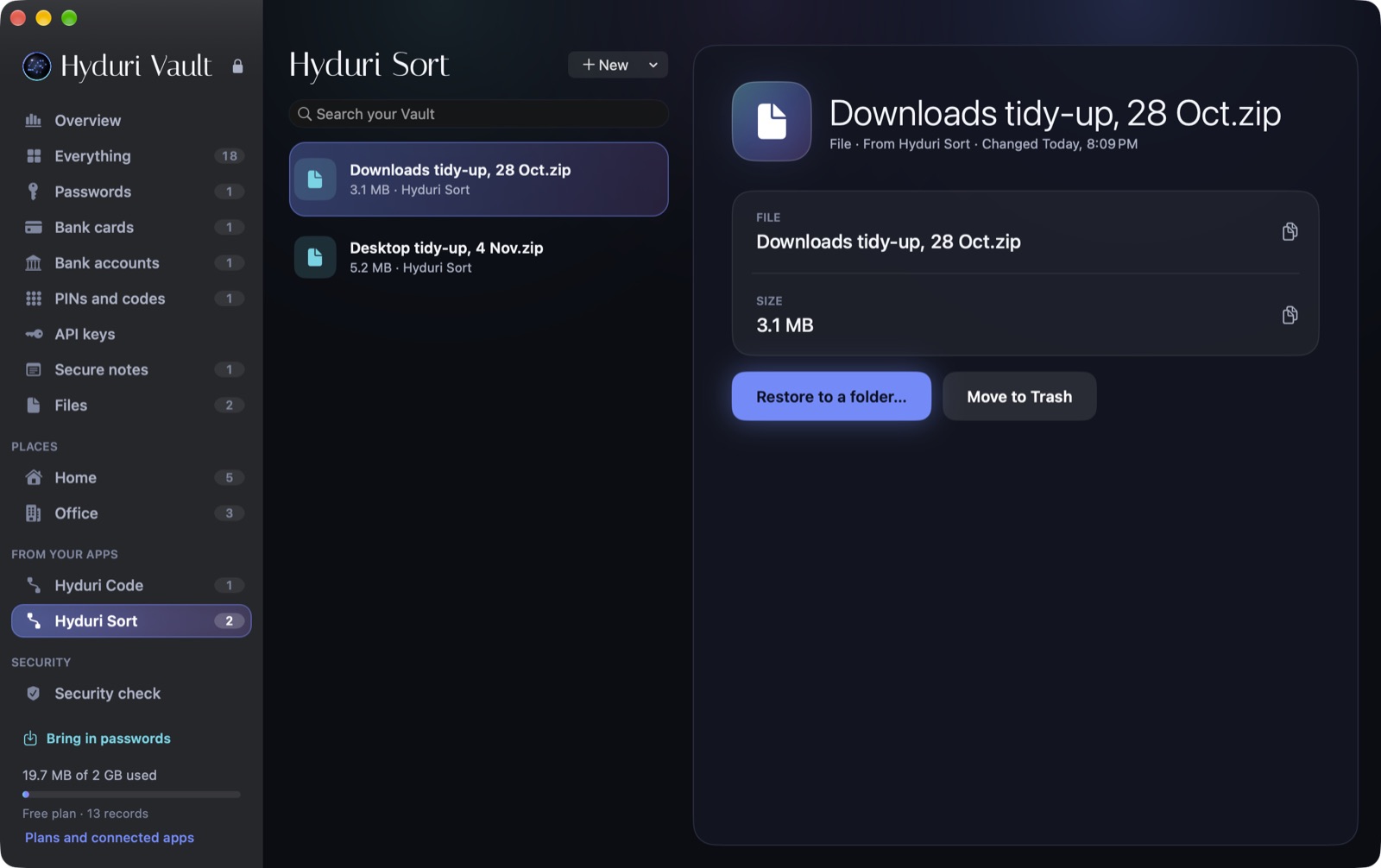
From your apps
One safe home for everything
Each Hyduri app saves to its own space with its own key. Sort can only see what Sort saved.
Locked on your Mac
Nobody at Hyduri can open your Vault
Your password and Secret Key never leave your Mac. The server only ever holds locked data, so even a leaked database is useless to anyone else.
100 GB is $5 a month or $48 a year, and 500 GB is $12 a month or $120 a year. Unlimited passwords on every plan. Owners of a paid-once app get the first month free. 100 GB is in Hyduri One.
Good to know
What if I forget my password?
Your printable Emergency Kit gets you back in. If both are lost, nobody can open the Vault, which is the price of nobody else being able to.
What happens if a payment fails?
Everything keeps working for 7 days. After that the Vault becomes read-only: you can still open and download everything, and nothing is deleted.
Can I take my passwords back out?
Yes. Export them for Apple Passwords or Google Password Manager at any time.
Which Macs?
macOS 14 or later, on Apple silicon and Intel.